
Everything Doughnut Forge does
Only the people you choose can open them.
Doughnut Forge locks your files and text on your iPhone, iPad or computer and lets you share them with the people you trust. However you send them, only they can open them.
Lock it on your device. Share it any way you like.
Secure Directory
Encrypt files and folders
Lock a single file or a whole folder in a few clicks, ready to keep safe or to share.
Add local folders to your workspace to browse and manage your files. Doughnut Forge operates entirely locally, meaning your original files never leave your device.
Secure Text
Encrypt text
Encrypt a private message for your contacts and share it however you like.
Identity
Your identity, your computer
Create your identity in the app. Your contact card is safe to share with anyone. It lets people send you private files.
Your digital identity acts as your personal set of keys, which are stored safely within the application. Doughnut Forge uses these keys to protect your files and verify your trusted contacts.
Your keys are entirely private and cannot be recovered if lost. You must keep your backup phrase in a safe location, as it is the only way to restore your access.
Contacts
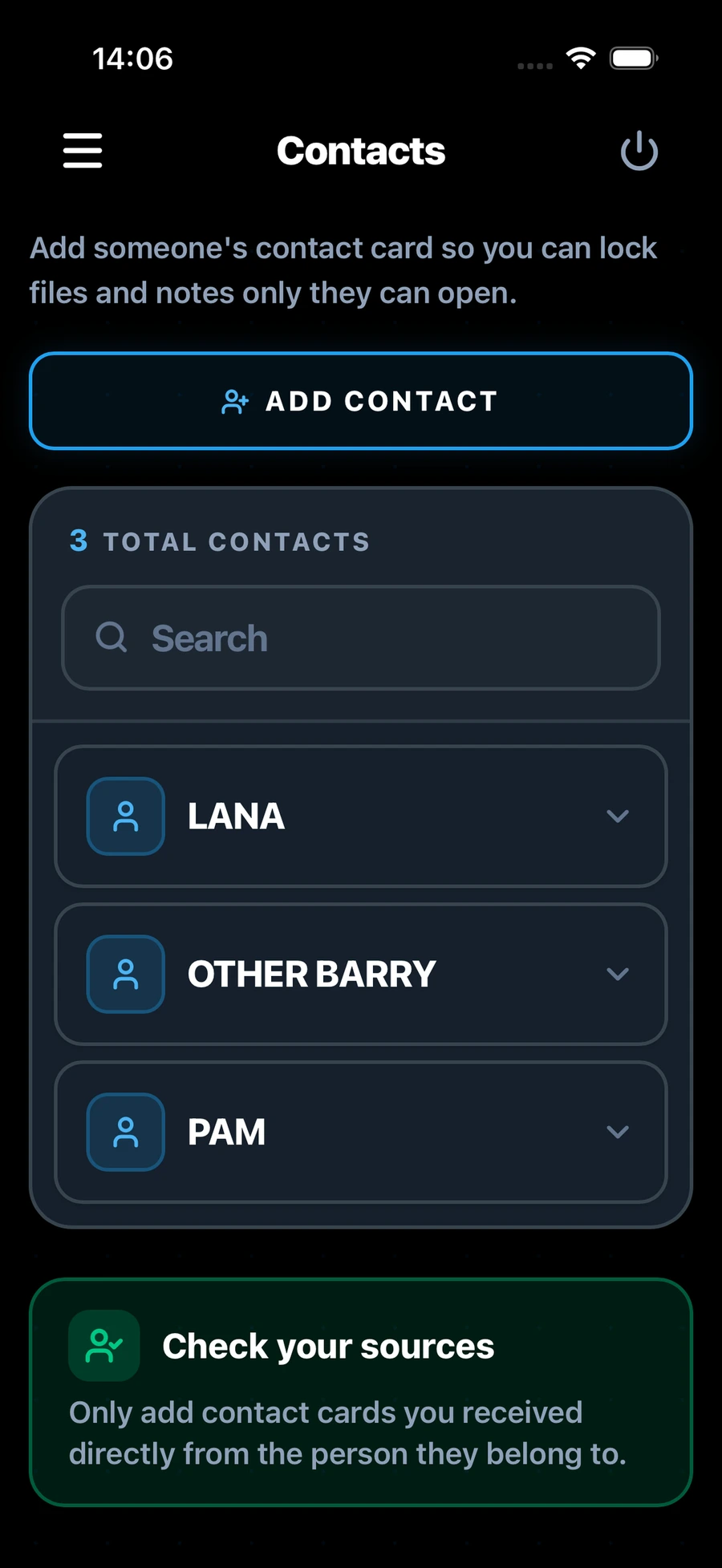
Share with people you trust
Encrypt files for any of your contacts. They open them with their own identity. No one else can.
Export your identity as a secure contact card (.vltc2). Share this file so others can safely verify who you are and add you to their trusted network.
Manage your trusted network. While anyone with your card can send you secure files, verifying contacts here lets you quickly select them for sharing and confirms their true identity.
Private from the start
Works without the internet
No subscription, no account, no servers and no tracking. Doughnut Forge works entirely on your device, even without an internet connection. Your keys and contacts stay with you, under your control.
Built for the long term
Uses post-quantum encryption, so what you protect today stays protected as computers become more powerful.
In your language
Use the app in English, Spanish, Japanese, Ukrainian and many other languages.
Languages
- English (UK)
- Français
- Deutsch
- Español (ES)
- Italiano
- Nederlands
- Svenska
- Dansk
- Suomi
- Norsk
- Polski
- Čeština
- Magyar
- Română
- Русский
- Ελληνικά
- Українська
- English (US)
- Español (MX)
- Português (BR)
- Türkçe
- 日本語
- 简体中文
- 繁體中文
- 한국어
- हिन्दी
- Bahasa Indonesia
- Bahasa Melayu
- ไทย
- Tiếng Việt
Now on iPhone and iPad.
The iPhone and iPad app adds a few things of its own.
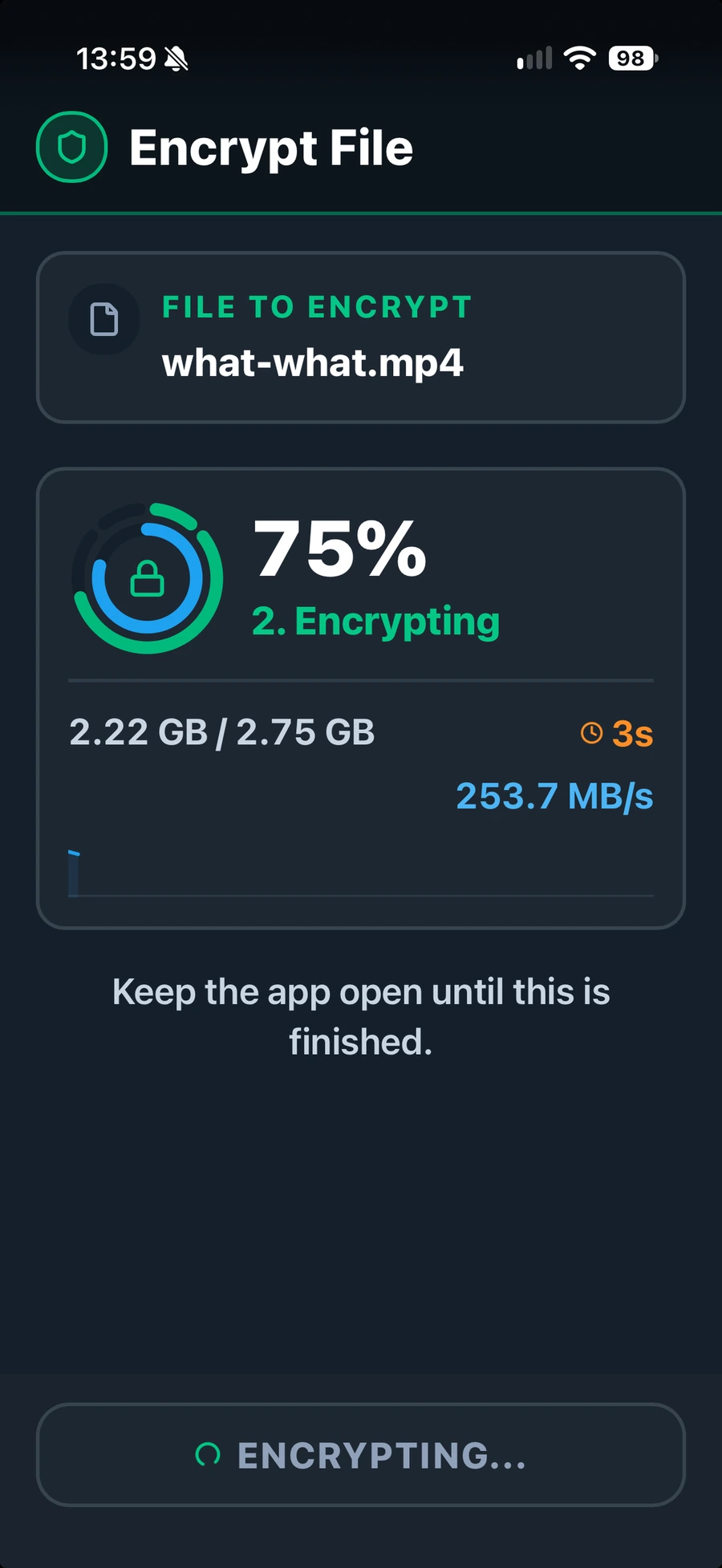
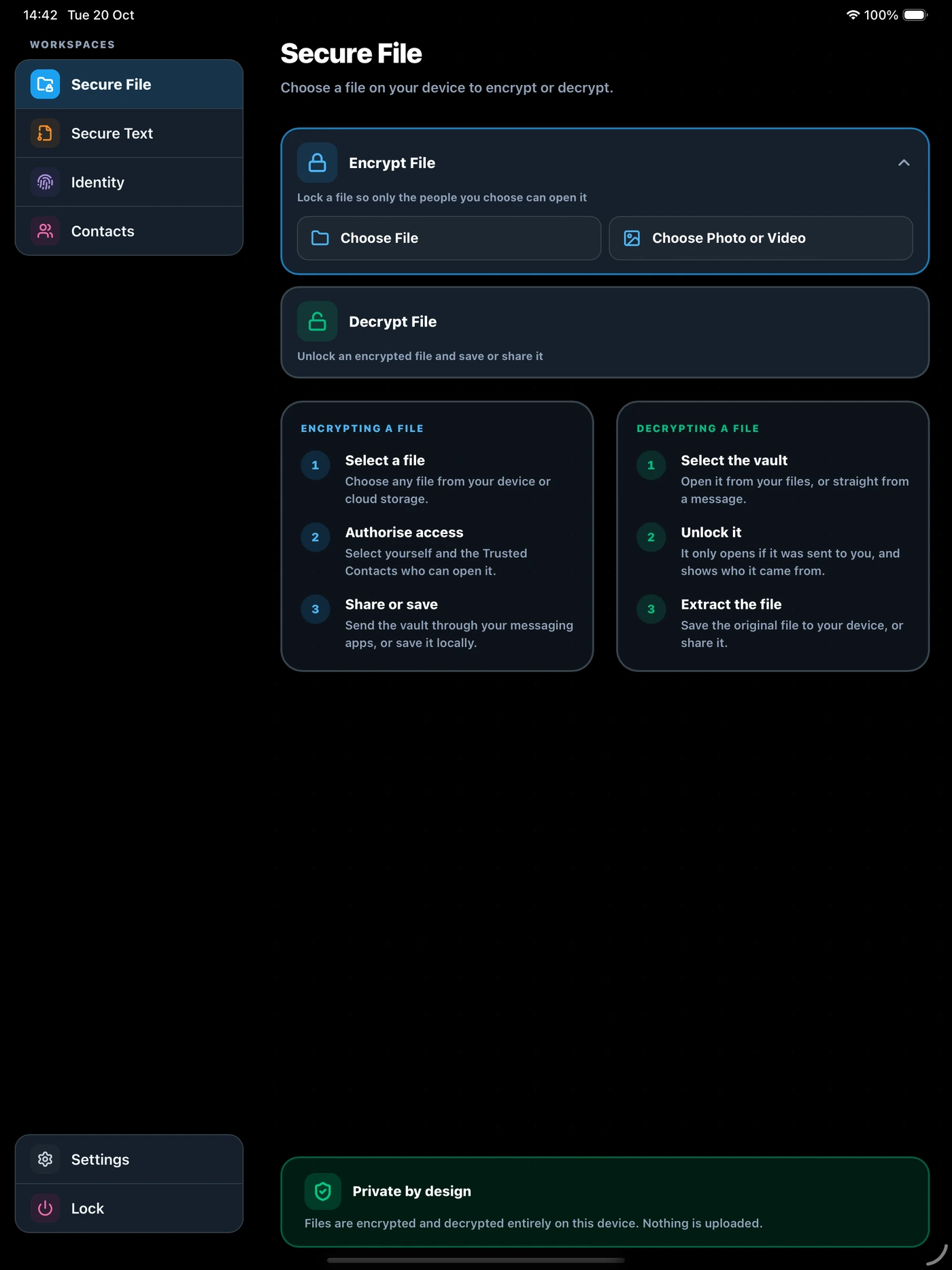
Encrypt files, photos and videos
Choose a file from Files or a photo or video from your library, or send one from another app. Encrypt it in a few taps, ready to keep or share.
Open what is sent to you
Decrypt a file from a contact and save it to Files. Photos and videos can go straight back to your photo library.
Face ID and Touch ID
Unlock the app with a glance or a touch if you like. Your password always works too.
Frequently asked questions
Do I need an account or an internet connection?
No. There is no account to create, and Doughnut Forge works entirely on your device, even without an internet connection. You only need a connection to download the app, or if you choose to send encrypted files over the internet.
Where are my files and keys kept?
On your device. Your password and keys are never stored on a server or sent across the network. Encrypted files go wherever you choose to save or send them.
How do I restore my identity?
Install Doughnut Forge on the new device, set a password, then choose Restore Identity and enter your 24-word backup phrase. Nothing else is needed, and it works across platforms, for example from a Mac to a Windows PC. Restoring brings back your identity, so files encrypted for it open again. Your contacts do not come back with it.
Is Doughnut Forge a subscription?
No. Doughnut Forge is a one-time purchase, never a subscription. You buy it once from the store for your platform, and there is nothing to renew.
Ready to keep your files private?
One-time purchase, never a subscription. Also available for Mac and Windows.